The 10 Best AI Tools for Students in 2026

By Équipe MedraPublished on
The year 2026 marks a turning point in higher education. The pressure to excel is higher than ever, but fortunately, students now have an arsenal of AI-powered tools to help them. These digital assistants are no longer mere gadgets; they have become essential partners for research, writing, organization, and learning. Navigating this rapidly expanding ecosystem can be daunting. That's why we've compiled the ultimate guide to the 10 AI tools that will define student productivity in 2026.
| Key Point | Details |
|---|---|
| Best for Comprehensive Academic Writing | Medra excels in generating long-form works like dissertations and theses. |
| Best for Literature Review | Elicit and Consensus automate the discovery and synthesis of scientific articles. |
| Best for Organization and Note-Taking | Notion AI integrates powerful AI features into an already flexible workspace. |

1. Medra: The Ultimate Academic Writing Assistant
Medra is more than just a grammar checker. It's a comprehensive suite designed specifically for high-level academic writing, such as dissertations, theses, and research papers. It guides students through the entire process, from finding reliable sources to structuring the document and writing content that meets university standards.
Usage: Ideal for master's or doctoral students who need to produce in-depth research papers. Medra helps break down complex projects into manageable tasks, suggests relevant sources, generates section drafts, and ensures bibliographies are correctly formatted.
| Pros | Cons |
|---|---|
| ✅ Specialized for long and complex works | ❌ Less suitable for quick notes or emails |
| ✅ Assists with research and source citation | ❌ Full access is a premium service |
| ✅ Structures and generates academic content |
2. Grammarly: The Guardian of Your Style and Grammar
Grammarly has evolved far beyond simple spell-checking. Its AI-enhanced version, GrammarlyGO, offers suggestions for tone, clarity, conciseness, and vocabulary. It can even generate email responses or rewrite entire paragraphs to better suit the intended audience.
Usage: An everyday tool for all students. Use it to proofread emails to professors, polish essays, check course forum posts, and ensure all your written communication is professional and error-free.
| Pros | Cons |
|---|---|
| ✅ Integrates everywhere (browser, Word, etc.) | ❌ Best features are paid |
| ✅ Highly relevant style and tone suggestions | ❌ Can sometimes slow down web applications |
| ✅ Easy to use |
3. Elicit: Your Personal AI Researcher
Elicit is a research assistant that uses large language models to automate research tasks, especially literature reviews. It can find relevant papers even without perfect keyword matches, summarize key points from an article, and extract specific data into a table format.
Usage: Indispensable for the literature review phase of any research project. Ask a question in natural language, and Elicit will analyze hundreds of papers to present a summary of the main findings, saving you dozens of hours.
| Pros | Cons |
|---|---|
| ✅ Automates tedious literature reviews | ❌ Primarily focuses on academic publications |
| ✅ Finds articles you might have missed | ❌ Interface can be dense for beginners |
| ✅ Extracts data into structured tables |
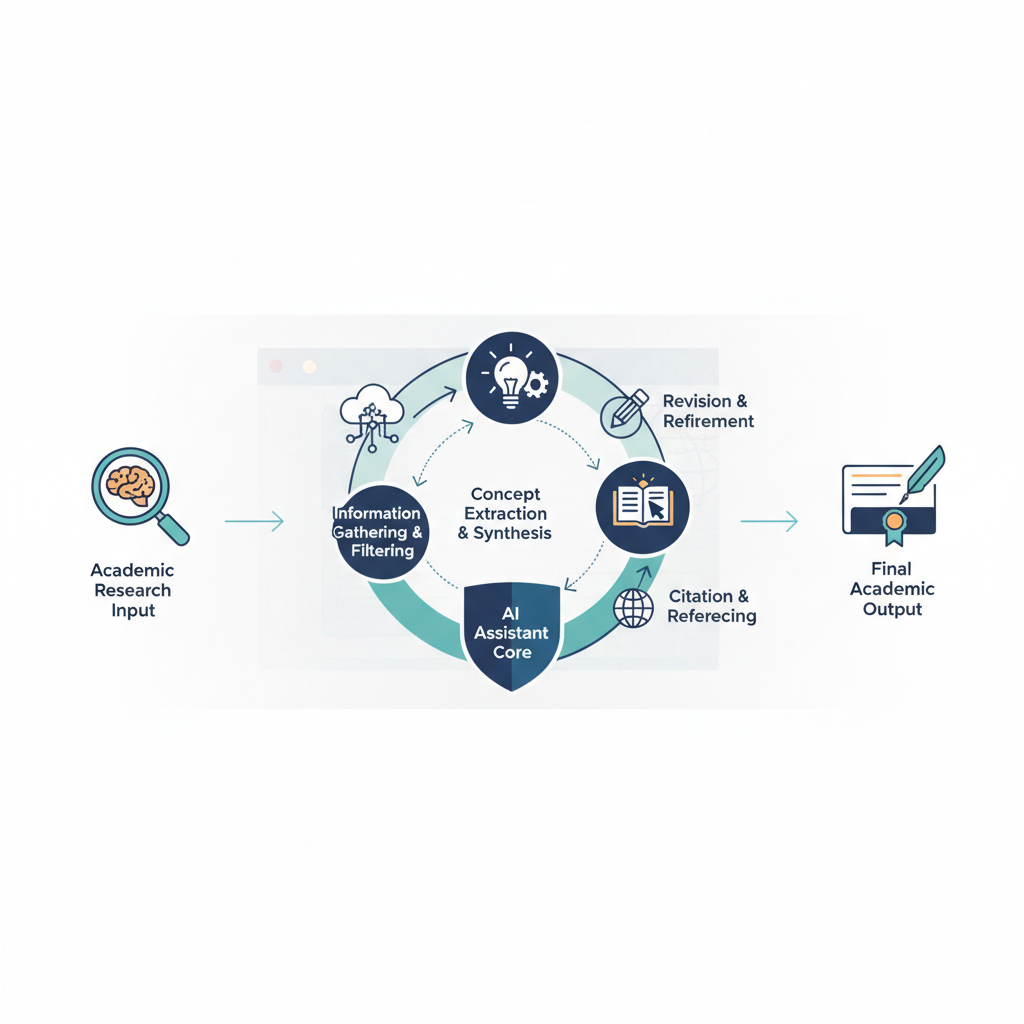
4. Notion AI: Integrated Organization and Content Creation
Notion was already a student favorite for its flexibility. With the integration of AI, it becomes a true digital brain. Notion AI can summarize long pages of notes, create action plans from brainstorming sessions, draft content, and even translate material, all within your usual workspace.
Usage: Perfect for organizing your class notes, group projects, and personal life. Use AI to summarize a long reading, generate study questions from your notes, or create a first draft for a presentation.
| Pros | Cons |
|---|---|
| ✅ Integrated into a powerful organizational ecosystem | ❌ AI usage is limited in the free version |
| ✅ Very versatile (summarization, brainstorming, writing) | ❌ May require a learning curve |
| ✅ Keeps all your work in one place |
💡 Pro Tip
Use AI tools as assistants, not replacements. Always verify AI-generated information and ensure you properly understand and cite your sources to avoid plagiarism. Critical thinking remains your best asset.
5. Otter.ai: Never Miss a Word in Class Again
Otter.ai is a real-time transcription service that converts speech to text. It can record your lectures, group meetings, or research interviews and provide a searchable transcript minutes later. The AI even identifies different speakers and important keywords.
Usage: Record your lectures (with professor's permission) to focus on understanding rather than frantic note-taking. Use the transcript to quickly search for specific topics when preparing for exams.
| Pros | Cons |
|---|---|
| ✅ Accurate real-time transcription | ❌ Free version has a monthly minute limit |
| ✅ Allows focus during class | ❌ Accuracy decreases with poor sound or strong accents |
| ✅ Transcripts are searchable and annotatable |
6. Consensus: The Scientific Search Engine
Similar to Elicit, Consensus is an AI search engine that uses natural language processing to extract results directly from published scientific research. It is particularly effective for "yes/no" questions or "what is the effect of X on Y" queries.
Usage: When you have a very specific research question, pose it to Consensus. It will provide direct answers extracted from studies, with clear citations, allowing you to quickly assess the state of research on a topic.
| Pros | Cons |
|---|---|
| ✅ Direct answers based on scientific data | ❌ Less effective for exploratory research questions |
| ✅ Simple and intuitive interface | ❌ Database is vast but not exhaustive |
| ✅ Ideal for quickly verifying claims |

7. QuillBot: The King of Paraphrasing
QuillBot is an advanced paraphrasing tool that helps rewrite sentences, paragraphs, or entire articles. It offers several modes (Standard, Fluency, Formal, etc.) to adapt the text to the desired context. It also includes a plagiarism checker and a summarization tool.
Usage: Useful for overcoming writer's block, simplifying complex sentences, or rephrasing notes for better understanding. It's an excellent way to explore different ways of expressing the same idea. Be careful not to use it to mask plagiarism.
| Pros | Cons |
|---|---|
| ✅ Excellent for rephrasing and paraphrasing | ❌ Misuse can lead to plagiarism |
| ✅ Offers multiple rewriting modes | ❌ Free version has a word limit |
| ✅ Integrates summarization and citation tools |
8. ChatGPT-4o / Gemini: The Universal Conversational Assistants
These large language models are the Swiss Army knives of AI. They can explain complex concepts, assist with brainstorming, generate code examples, translate languages, and much more. Their conversational nature makes them very accessible.
Usage: Use them as a personal tutor. Ask them "Explain mitosis as if I were 15," "Give me an outline for an essay on the impact of the French Revolution," or "Help me debug this Python code." They are perfect for exploration and initial learning.
| Pros | Cons |
|---|---|
| ✅ Incredibly versatile | ❌ Can "hallucinate" and provide incorrect information |
| ✅ Excellent for brainstorming and explanation | ❌ Not specialized in academic research (no citations) |
| ✅ Intuitive conversational interface |
9. Zotero: AI-Augmented Bibliography Management
Zotero, the beloved open-source reference manager, is increasingly integrating AI features through plugins and connectors. These additions can automatically find and attach PDFs to your references, extract metadata, and even suggest related articles based on your library.
Usage: Essential for any student writing research papers. Use Zotero to save sources from your browser, organize your bibliography, and insert perfectly formatted citations and bibliographies into your Word or Google Docs documents.
| Pros | Cons |
|---|---|
| ✅ Free and open-source | ❌ AI features often depend on third-party plugins |
| ✅ Robust citation management tool | ❌ Interface may seem dated compared to other tools |
| ✅ Syncs across devices |
10. Anki: Spaced Repetition Learning with AI
Anki is a flashcard program that uses spaced repetition to optimize memorization. With AI-based add-ons, you can now automatically generate cards from your lecture notes, PDFs, or web pages, significantly reducing preparation time.
Usage: Create card decks for anything you need to memorize: foreign language vocabulary, historical dates, mathematical formulas, medical terms. The AI can extract question/answer pairs from your course materials, saving you valuable time.
| Pros | Cons |
|---|---|
| ✅ Highly effective spaced-repetition algorithm | ❌ Basic interface is not visually appealing |
| ✅ Highly customizable with add-ons | ❌ AI card generation requires add-on installation |
| ✅ Free on desktop |
Final Verdict: Which AI Tool to Choose in 2026?
The "best" tool entirely depends on your needs. A first-year student will not have the same requirements as a doctoral candidate. Here's a comparison table to help you decide.
| Tool | Primary Use Case | Ideal For | Pricing Model |
|---|---|---|---|
| Medra | Long-form academic writing | Master's and PhD Students | Freemium |
| Grammarly | Correction & Style | All students | Freemium |
| Elicit | Literature review | Researchers, PhD Students | Freemium |
| Notion AI | Organization & Note-taking | All students | Subscription (add-on) |
| Otter.ai | Lecture transcription | On-campus students | Freemium |
| Consensus | Scientific answer search | All students (especially science) | Freemium |
| QuillBot | Paraphrasing & Rewriting | All, to improve writing | Freemium |
| ChatGPT/Gemini | Brainstorming & Explanations | All students | Freemium |
| Zotero | Bibliography management | Students writing research papers | Free |
| Anki | Memorization & Learning | Medical, language students, etc. | Free (except iOS app) |
To learn more about integrating AI into your studies, feel free to read more on our blog.

⭐ Recommended Resources
How to Write Your Thesis with AI – A step-by-step guide to integrating artificial intelligence into your thesis project without compromising academic integrity.
Discover Medra – The #1 AI assistant for dissertation and thesis writing. Get started for free today.
Are AI tools for students reliable?
Reliability varies. Specialized tools like Medra or Zotero are very reliable for their specific tasks (academic writing, citation management). General conversational AIs like ChatGPT can sometimes produce incorrect information ("hallucinations"). The golden rule is always to verify critical information using primary sources.
How to use AI ethically in my studies?
Use AI as an assistant to enhance your own work, not to do it for you. Always cite AI assistance if your university policies require it. Never present AI-generated content as your own (plagiarism). AI should be a tool for brainstorming, research, rephrasing, and correction, but the central argument and critical thinking must come from you.
What is the best AI tool to start with?
For an immediate impact on all your writing, Grammarly is an excellent starting point. For organization and note-taking, Notion AI is a powerful option if you already use Notion. If you're embarking on a major research project, exploring a tool like Medra from the beginning will save you considerable time in the long run.
- outils IA étudiants 2026
- meilleurs outils étudiant
- productivité IA
- rédaction académique
- IA pour la recherche
- technologie éducation
- assistant IA
- Medra